EVBINOS SMSNo per-SMS charge
Automate your customer communication by SMS.
Birthday wishes, scheduled reminders and SMS to your contacts, organised in one place. The SMS are sent from your own Android phone and SIM through EVBINOS Companion.
No separate SMS provider needed. EVBINOS does not charge per SMS.
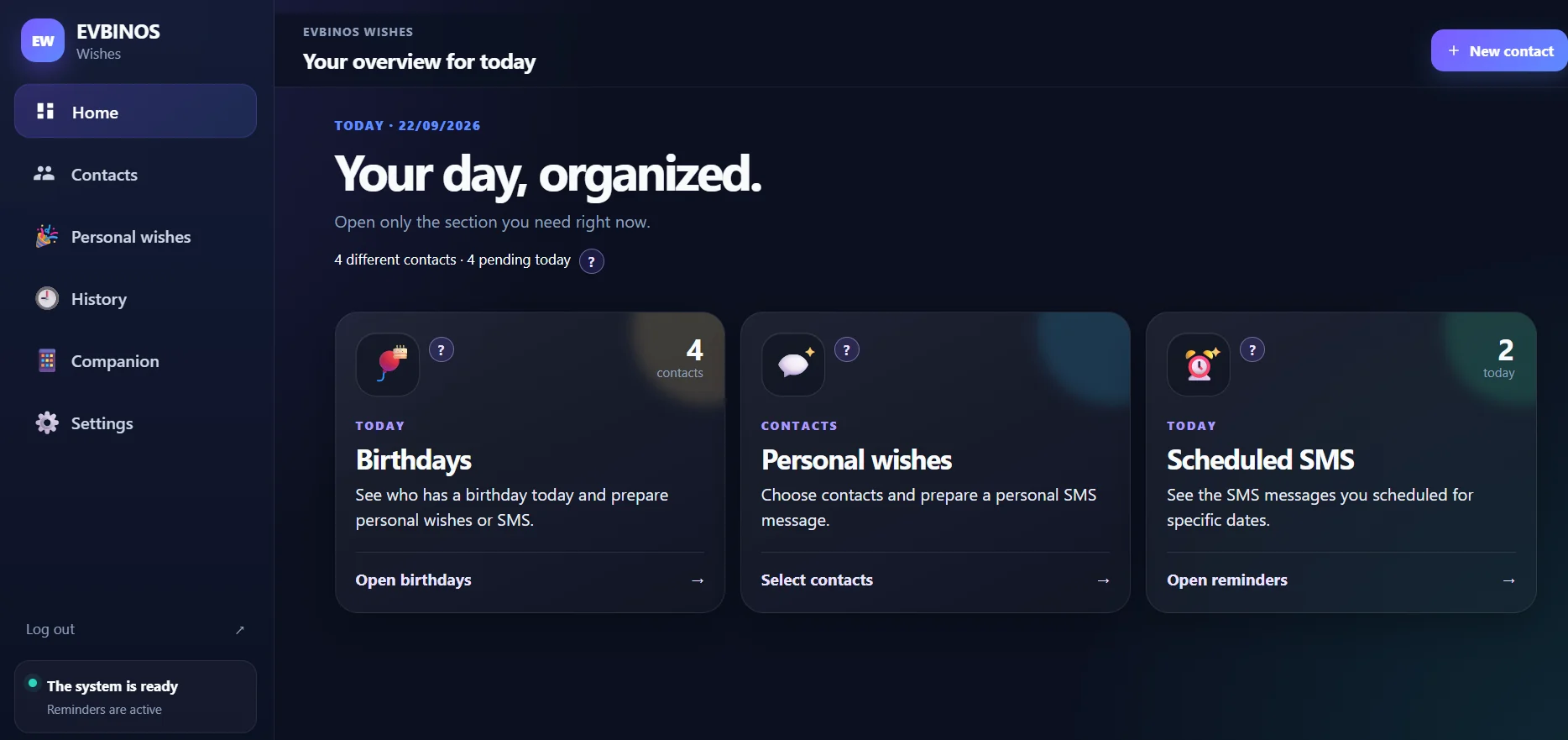
Real application, demo data.
- ContactYour customer
- MomentBirthday, renewal, follow-up
- SMSA personal message
- AndroidYour phone, your SIM
In practice
See what a message can look like.
Real examples of the kind of SMS professionals prepare with EVBINOS SMS.
Appointment
Reminder set for the day before
Hello Anna, just a reminder about our appointment tomorrow at 10:30. See you then!
Renewal
Reminder set 7 days before expiry
Hello Mr. Weber, your membership expires in 7 days. Get in touch and we will renew it for you.
Follow-up
Reminder three months after the last visit
Hello Nina, it has been three months since our last appointment. Would you like to book the next one?
Birthday
Shown on the customer's birthday
Happy birthday, Maria! We wish you a wonderful day.
Pricing
Simple plans, by number of contacts.
A monthly subscription, based on the number of contacts. Choose the plan that fits your contact list.
No per-SMS charge from EVBINOS.
- If your mobile plan includes unlimited SMS, you can send unlimited SMS through EVBINOS with no additional SMS charges from us.
- Your mobile provider’s terms and any applicable limits still apply.
Starter
up to 1,000 contacts
€24.90 / month
To get going.
Get startedPlus
up to 5,000 contacts
€49.90 / month
For a growing customer list.
Get startedBusiness
up to 10,000 contacts
€79.90 / month
For large customer lists.
Get startedCustom
more than 10,000 contacts
Contact us for an offer
More contacts or special requirements.
Request a quote
Prices per month, in euro. EVBINOS does not charge per SMS.
How it works
Four steps, from a contact to a sent SMS.
Shown in the real application — not a mock-up.
Bring your contacts
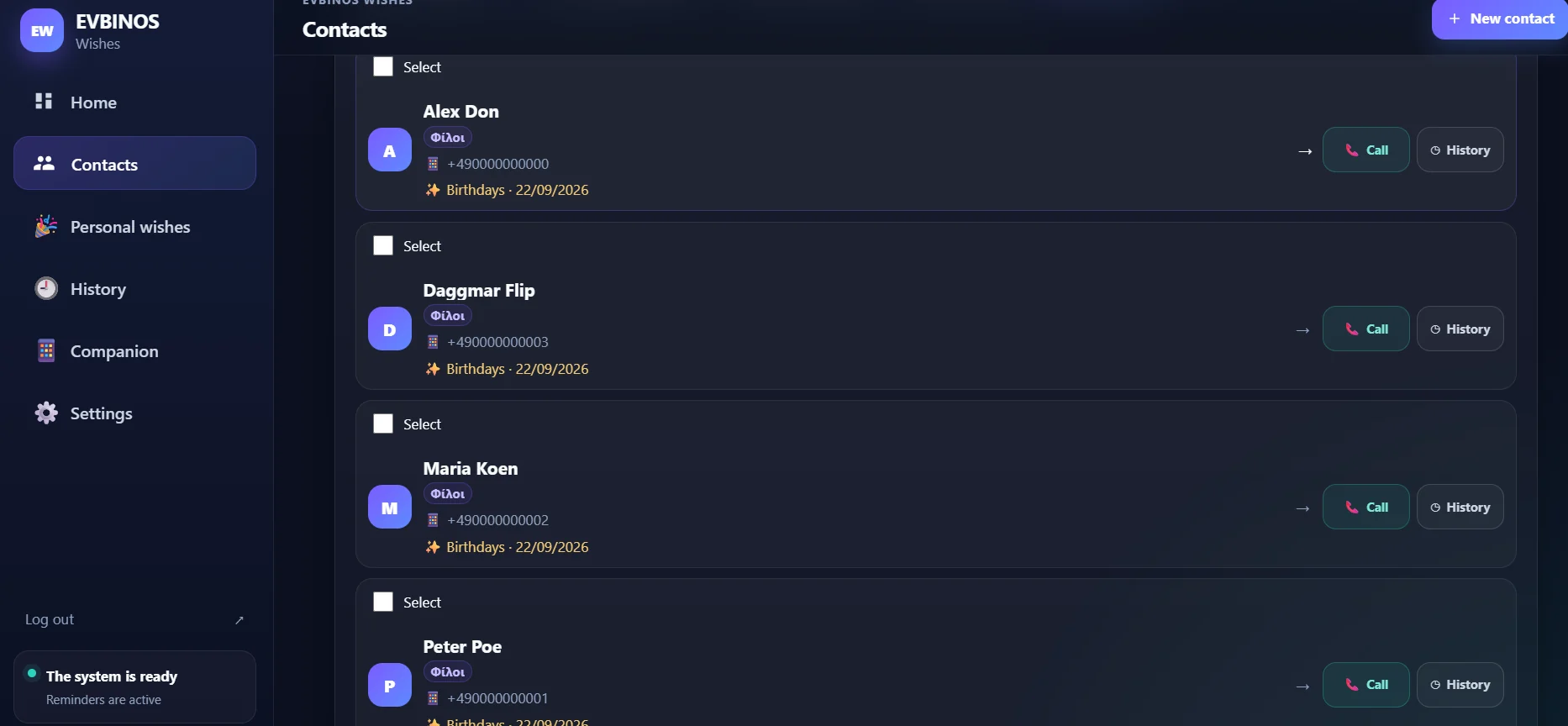
Add them by hand or import from Google, iPhone or Excel. Every contact in one list.
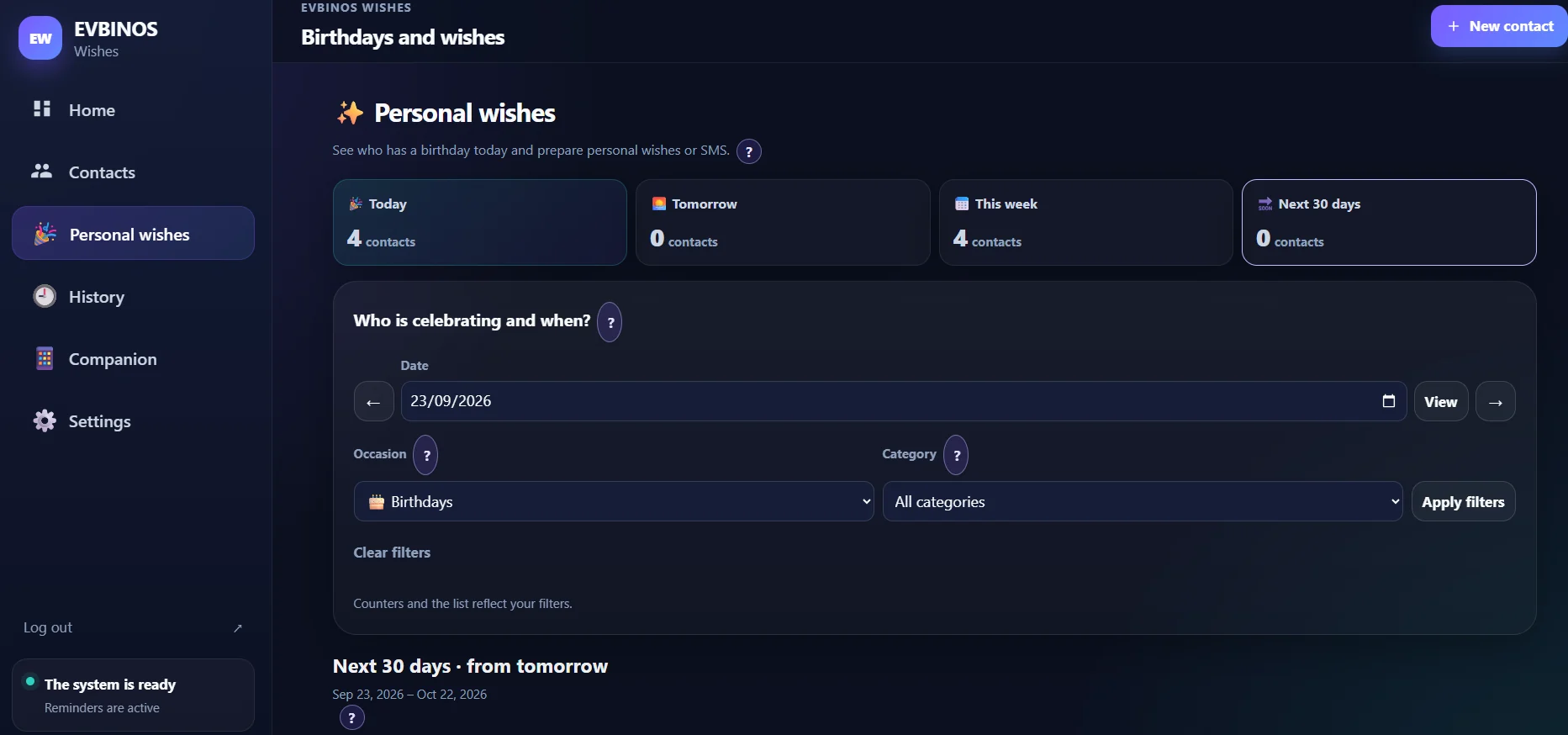
Choose the moment and the message
EVBINOS SMS shows whose birthday or occasion is coming up. Pick the contacts and check the message.
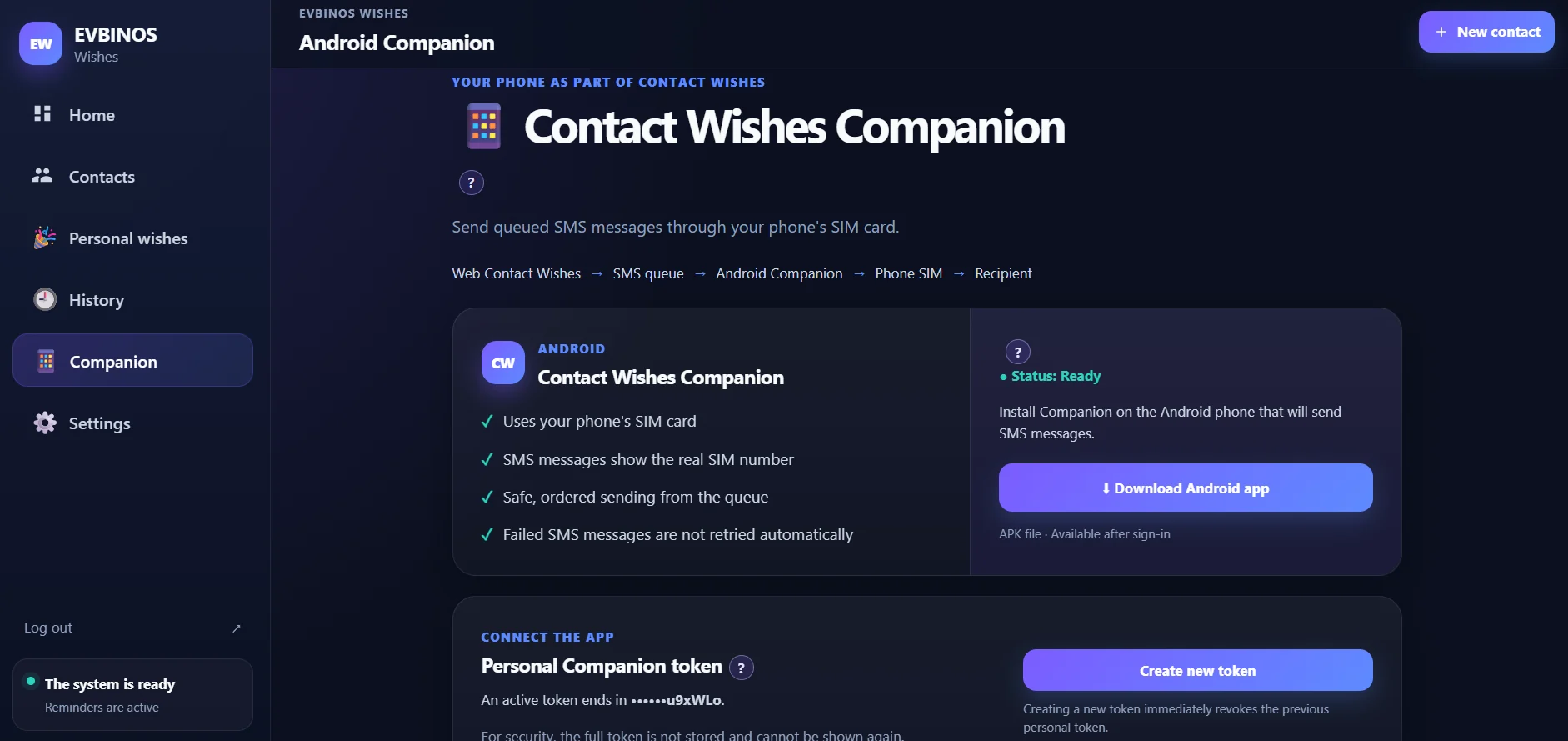
Connect the Android Companion
Install the app on your own Android phone and enter your personal token once.
Send now, or schedule it
Write the SMS today and choose the day it goes out — or send it right away. Nothing is ever automatic.
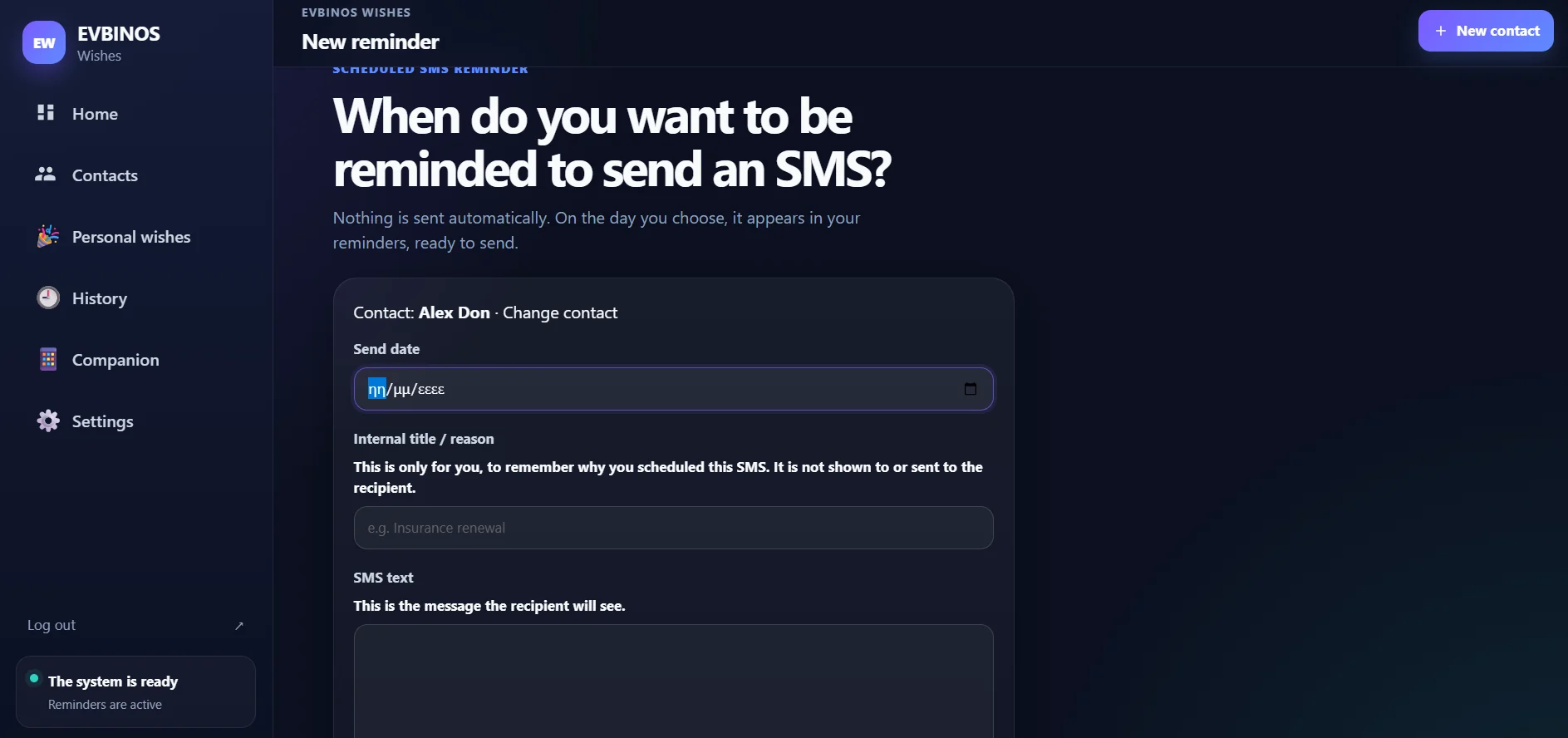
Step 1/4
Import
Already have contacts? Bring them along.
You do not retype anything. Choose where your contacts are today.
Google Contacts
Connect your Google account with read-only access and choose what to import.
iPhone / vCard
Export your contacts as a .vcf file and upload it.
Excel / CSV
Upload an .xlsx or .csv file. EVBINOS SMS recognises the columns and asks you when it is unsure.
- A preview before anything is saved
- Automatic column mapping for Excel and CSV
- Duplicate detection
- Import everything or only the contacts you select
- Large lists are shown page by page
Nothing is written to your contact list until you confirm the final summary.
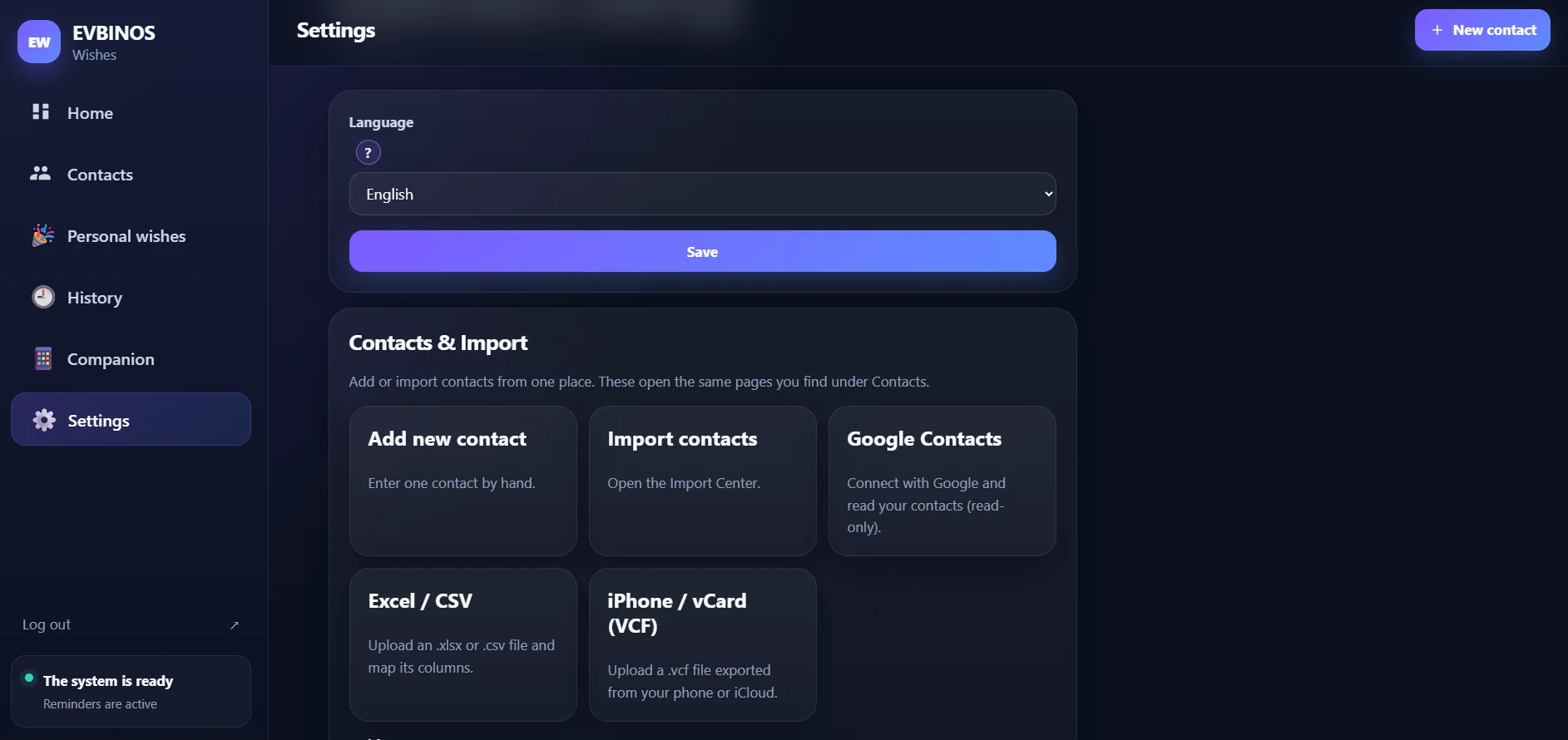
The import sources in Settings
SMS & EVBINOS Companion
The SMS leaves from your own Android phone.
The EVBINOS Companion connects EVBINOS SMS with your Android phone. Queued messages are sent through your own SIM card and mobile plan.
- EVBINOS SMS
- EVBINOS Companion
- Your Android phone
- Your SIM
- Your customer
- Uses your phone's SIM card and number
- Sends one SMS at a time, in the queue order
- A failed SMS is never retried automatically
The Companion is an Android app: you need an Android phone with a SIM.
The Companion page in EVBINOS SMS
Beyond birthdays
Appointments, renewals, follow-ups — every moment that matters.
Add a reminder for any day and write the SMS when it suits you. On that day, it is waiting for you.
Appointments
A short reminder the day before.
Renewals
Contracts and memberships, before they expire.
Follow-ups
A friendly message after a visit or a quote.
Recurring service
Check-ups, maintenance and repeat visits.
Then one personal SMS, sent from your own phone.
Use cases
For businesses that talk to the same customers again and again.
EVBINOS SMS fits wherever a personal message at the right time brings people back.
Hair and beauty salons
Appointment reminders, and a friendly note when it is time to come back.
Physiotherapists and clinics
A reminder for the next session or check-up.
Insurance and consultants
Renewal dates and follow-ups with customers and leads.
Car workshops
Service and inspection reminders.
Gyms and personal trainers
Membership renewals and a message when someone has not visited for a while.
Schools and tutoring
Lesson and term reminders for students and parents.
Real estate and accountants
Follow-ups with leads and reminders before deadlines.
Pet groomers and vets
A reminder for the next visit or vaccination.
More businesses
Dental practices, heating and HVAC maintenance, car detailing, small retailers, subscription businesses and any business with recurring appointments, renewals or follow-ups.
FAQ
Questions people ask.
What is EVBINOS SMS?
A web application for professionals: you keep customer contacts and important dates in one place, prepare personal SMS, plan them for a day, and send them through your own Android phone.
Do I need an Android phone?
Yes, to send the SMS. The EVBINOS Companion is an Android app. You use EVBINOS SMS itself in any web browser.
Do I need a separate SMS provider?
No. Messages go through your own SIM card and mobile plan.
Does EVBINOS charge per SMS?
No. EVBINOS does not charge per SMS: messages are sent through your own mobile plan and SIM. The plan price depends only on the number of contacts.
What if my mobile plan has unlimited SMS?
If your mobile plan includes unlimited SMS, you can send unlimited SMS through EVBINOS with no additional SMS charges from us. Your mobile provider’s terms and any applicable limits still apply.
Can I import my existing contacts?
Yes: from Google Contacts, from an iPhone (vCard) or from an Excel or CSV file. You always see a preview before anything is saved.
Can I import Google Contacts?
Yes. You connect your Google account with read-only access and choose what to import.
Can I import iPhone / vCard contacts?
Yes. Export your contacts as a .vcf file and upload it. There is no direct iCloud sync.
Can I import Excel or CSV?
Yes, .xlsx and .csv files up to 8 MB and 20,000 rows. EVBINOS SMS recognises columns such as phone, email and birthday, and you confirm the mapping. Save old .xls files as .xlsx or .csv first.
Can I schedule an SMS for later?
You can plan an SMS for a future day. On that day it comes up in your list, ready for you to review and send. Nothing is sent automatically.
How do I get started?
Create your account, then choose your plan. EVBINOS SMS is activated as soon as the payment for your plan is completed.
Can I cancel?
Yes. The subscription is monthly and can be cancelled for the end of any period. Your contacts are not deleted.
What happens if I switch to a smaller plan?
Your existing contacts are not deleted when you change plan.
Is EVBINOS SMS available in Greek, German and English?
Yes. The application and its guided tour are available in all three languages.
What if I have more than 10,000 contacts?
Ask for a quote. We will make an offer for your list.
Can I request a demo?
Yes. Send a request and we will contact you to arrange a personal presentation.
Talk to us
See it with your own use case.
Request a personal demo, or ask for a quote if you have a large list or special requirements.
Request a demo
Tell us a little about your business. We will contact you to arrange a personal presentation.
Request a quote
For more than 10,000 contacts or special requirements.
Your customer list is worth more when you write at the right moment.
Choose your EVBINOS SMS plan, or ask for a personal demo.
EVBINOS
Explore all EVBINOS services
Websites, software, automation and AI-ready solutions for businesses.
Visit evbinos.com